A voice note is quick to capture and not always quick to revisit. Transcribing it can make the idea easier to scan, quote, or share with someone who needs the words rather than the audio.
CreatorKit includes English transcription for supported audio and video files. Processing takes place on the Android device, so the selected recording is not sent to a cloud transcription service.
Make a transcript from a local recording
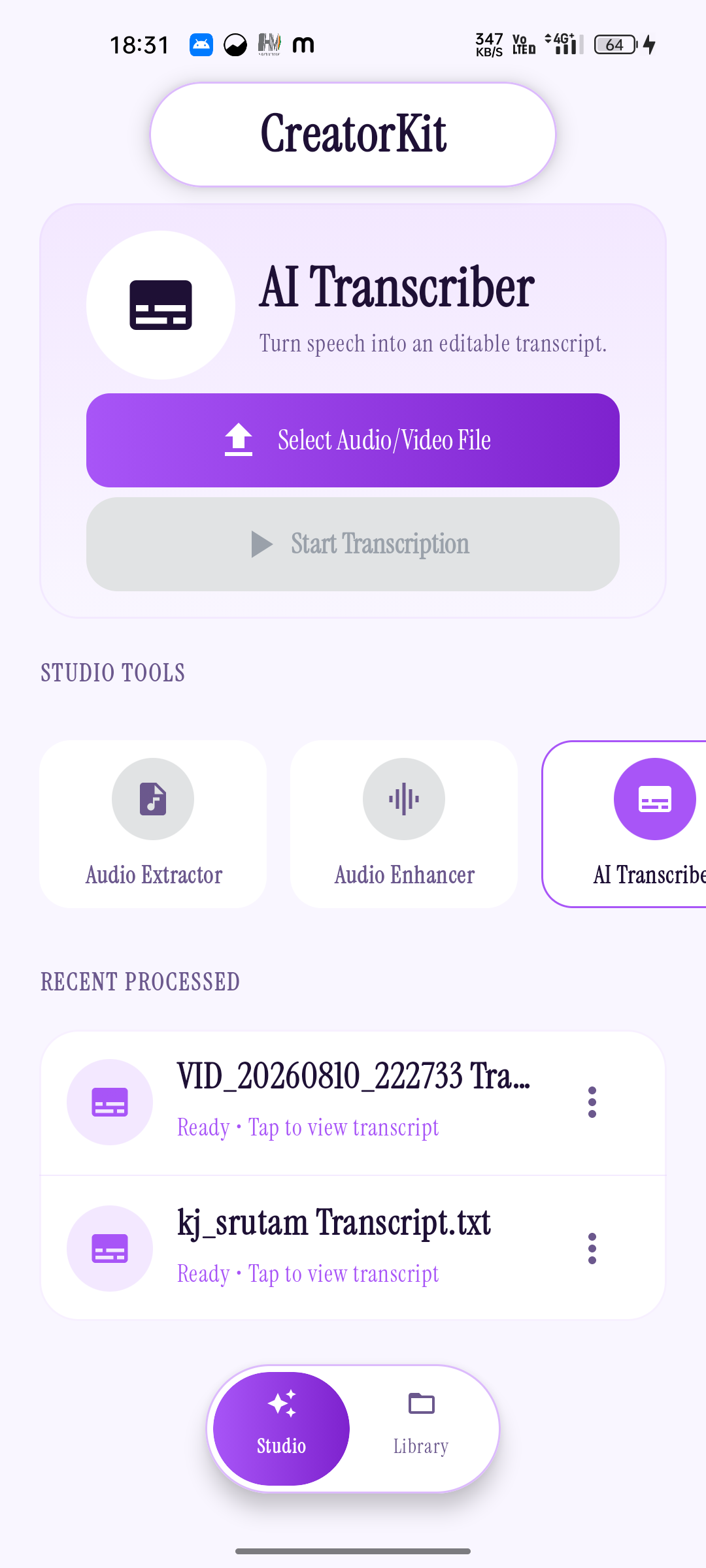
- Open AI Transcriber in CreatorKit and select a supported audio or video file on your phone.
- Start transcription and give the app time to process the recording on the device.
- Open the completed transcript from the app’s recent items or local library. Share or save it for the next step in your work.
The current app listing specifies English transcription. If the recording is in another language, do not assume the feature will produce a reliable transcript for it.
Help the speech come through
Transcription starts with the signal in the original recording. A quiet room, a steady phone position, and a speaker close enough to the microphone can all make speech easier to hear. When several people are talking, asking one person at a time to speak is often more helpful than trying to fix overlapping voices later.
Before recording something long, capture a short sample and listen to it. Check that the phone recorded the intended speaker, that the voice is not too quiet, and that background sounds are not masking the words. If the source is a video, confirm that its audio track contains the conversation you want.
Review the text before you reuse it
A transcript is a working aid, not proof that every word was recognized perfectly. Listen again to names, numbers, technical terms, and passages where speakers talk over each other. For an interview, class, or anything you plan to quote, verify important wording against the original recording.
Keeping the original audio beside the text gives you context when the wording looks uncertain. CreatorKit’s local library helps keep those outputs close on the same device.
CreatorKit transcribes English speech on your Android device.
See CreatorKit on Google Play ↗