01
Extract audio
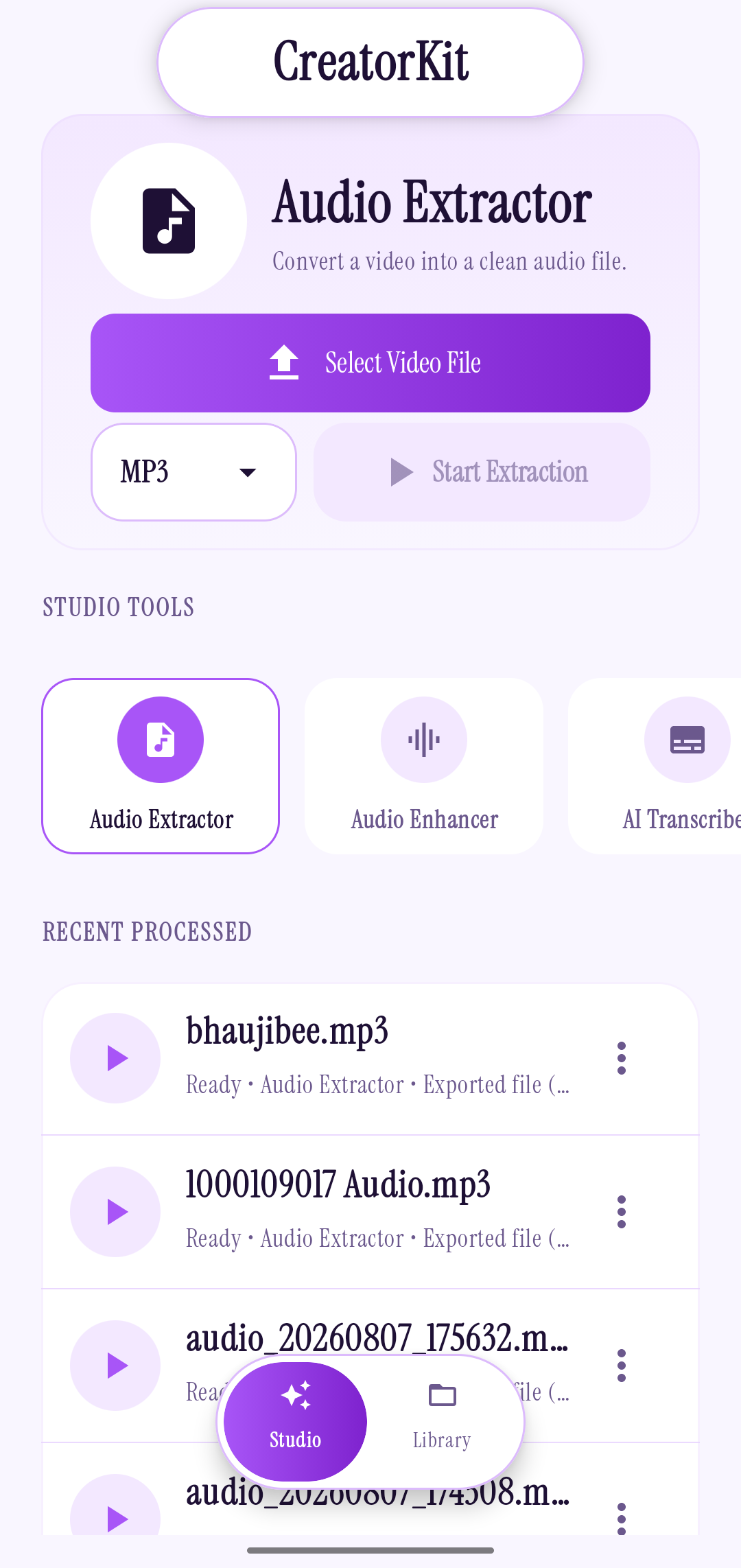
Turn a supported video into an audio file. Choose MP3 for broad compatibility or M4A (AAC) for an efficient everyday format.
MP4 · MKV · AVI CreatorKit
A focused audio toolkit for Android
Extract audio, bring vocals forward, and turn English speech into text. CreatorKit keeps the useful tools together and your files on your phone.
No ads. No account. No cloud uploads.
01 Android app
02 No ads
03 No account
04 Files stay on your device
A few useful tools
One small Android toolkit for the steps that usually get scattered across apps.
Turn a supported video into an audio file. Choose MP3 for broad compatibility or M4A (AAC) for an efficient everyday format.
MP4 · MKV · AVIGive a voice recording a quick lift, then compare the original and enhanced versions before you save.
Listen before exportingTurn supported English speech into a transcript right on your Android device.
On-device processingPlay, share, and organize finished audio and transcripts in one local library.
Your files, your foldersA calmer little workflow
Pick a video or audio file from your device.
Extract, enhance, or transcribe what you need.
Find the result in your library and share it when ready.
A closer look at CreatorKit on Android
Made to feel at home on your phone
Start with the screen that matches what you need. The rest of the app stays close by.
Select a supported video, choose MP3 or M4A (AAC), and save the audio to your device.
Video formats: MP4, MKV, AVIA little more peace of mind
CreatorKit is designed to work locally. Audio extraction, voice enhancement, transcription, and file management happen on your phone; your selected media is not uploaded to a conversion server.
From the CreatorKit journal
A practical guide to choosing a video, picking MP3 or M4A, and keeping the exported file easy to find.
Read the storyHow to review a recording, try a vocal enhancement, and decide for yourself whether the result is better.
Read the storyA simple on-device transcription workflow, plus a few ways to make a source recording easier to follow.
Read the storyA fictional creator story about catching an idea, cleaning up the voice note, and letting a small tool stay small.
Read the storyCreatorKit can extract audio from supported videos, enhance voice recordings, transcribe English speech, and help you play, share, and organize your saved files.
The Audio Extractor offers MP3 and M4A (AAC) output. It can select video files in MP4, MKV, and AVI formats.
CreatorKit processes selected media on your device. The app is designed for local use, with no cloud uploads for its audio tools.
English transcription is available in the current app listing. Check the Play Store listing for the latest supported features.
CreatorKit is currently an Android app. It is available to install through Google Play.
Your next idea can stay yours
CreatorKit is available for Android on Google Play.