Maybe you filmed a guitar idea and want to send the sound to a collaborator. Maybe a video contains a voice memo you want to keep as audio. In either case, the useful job is small: select a video, choose an audio format, and save the result somewhere you can find it.
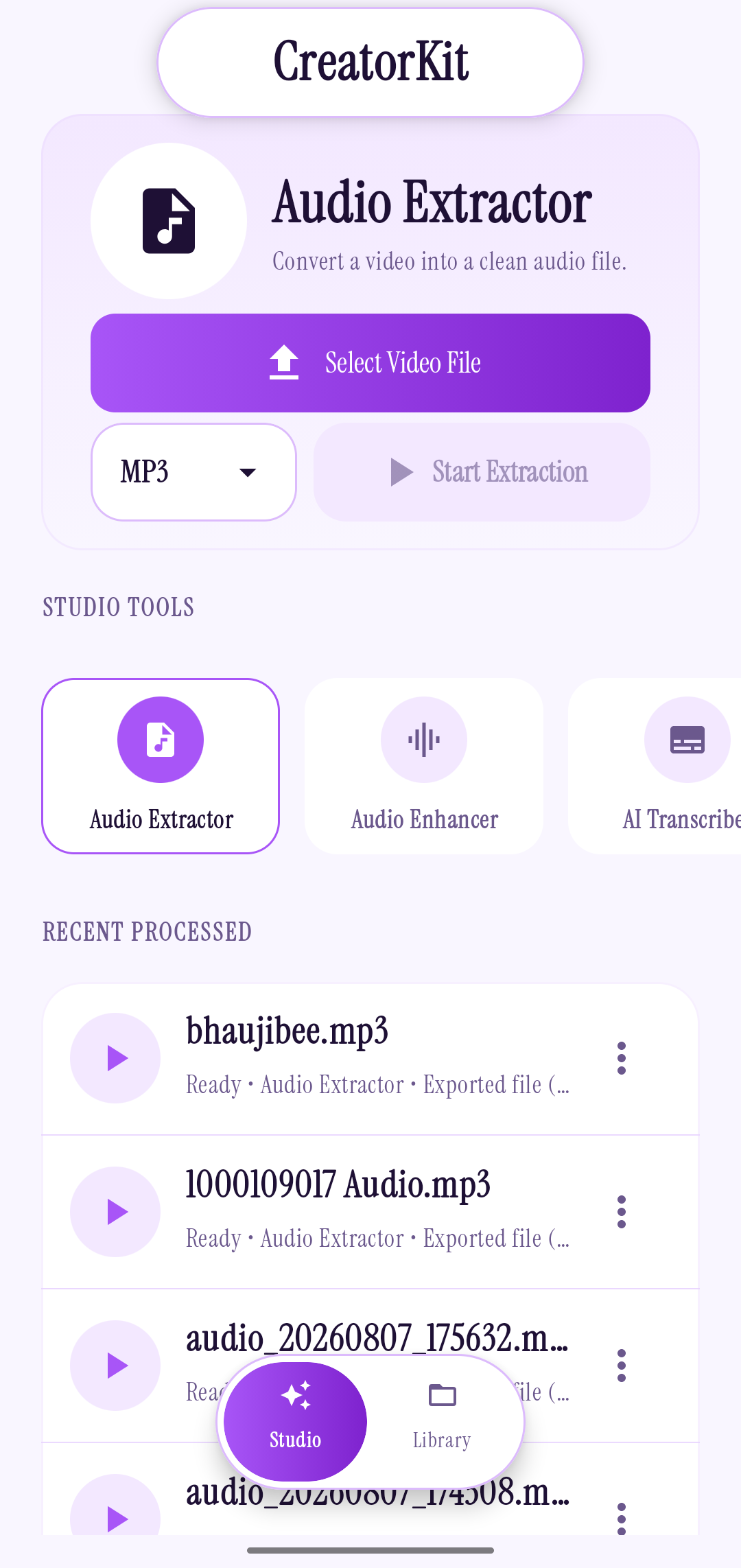
On Android, CreatorKit’s Audio Extractor works with MP4, MKV, and AVI video files. Its audio export options are MP3 and M4A (AAC). The app processes the selected file locally on the phone.
Choose the format for the next step
MP3 is a familiar choice when you expect to move a file between a mix of older and newer apps. M4A uses AAC audio and is a compact option for everyday sharing and playback. Neither label can restore detail that was missing in the video’s original sound; the source recording still sets the ceiling.
If someone has asked for a specific format, use that. Otherwise, think about where the file is going next: a broad handoff, a personal library, or another editing app.
A three-step extraction workflow
- Open Audio Extractor and select an MP4, MKV, or AVI video from your device.
- Choose MP3 or M4A (AAC). Give the file a recognizable name if you want to find it quickly later.
- Start the extraction, then open the local library to play or share the finished audio.
A descriptive filename helps more than a clever one. “Interview-intro” is easier to search for next week than “final-final-2.” If your app version offers an export-directory setting, choose a place that fits the way you already organize media.
Keep rights and quality in mind
Extracting a track changes its file form; it does not grant permission to use or redistribute the underlying recording. Work with videos you made or have permission to process, and follow the terms that apply to the original material.
For a clear result, start with a video whose audio is already clean. Extraction separates the sound from the picture; it is not the same as repairing a noisy or clipped recording. If the source is a voice recording, CreatorKit’s separate Vocal Studio can enhance it and lets you compare the original with the result before saving.
CreatorKit brings extraction and a local media library to Android.
See CreatorKit on Google Play ↗